TABLES AND LOBBY
The lobby lists tables that are waiting for players.
Finding a table
You can filter the list by deck, buy-in, player count, game type, and additional rules. Search accepts an exact Telegram first name without a surname, an @username, or a six-character alphanumeric table code.
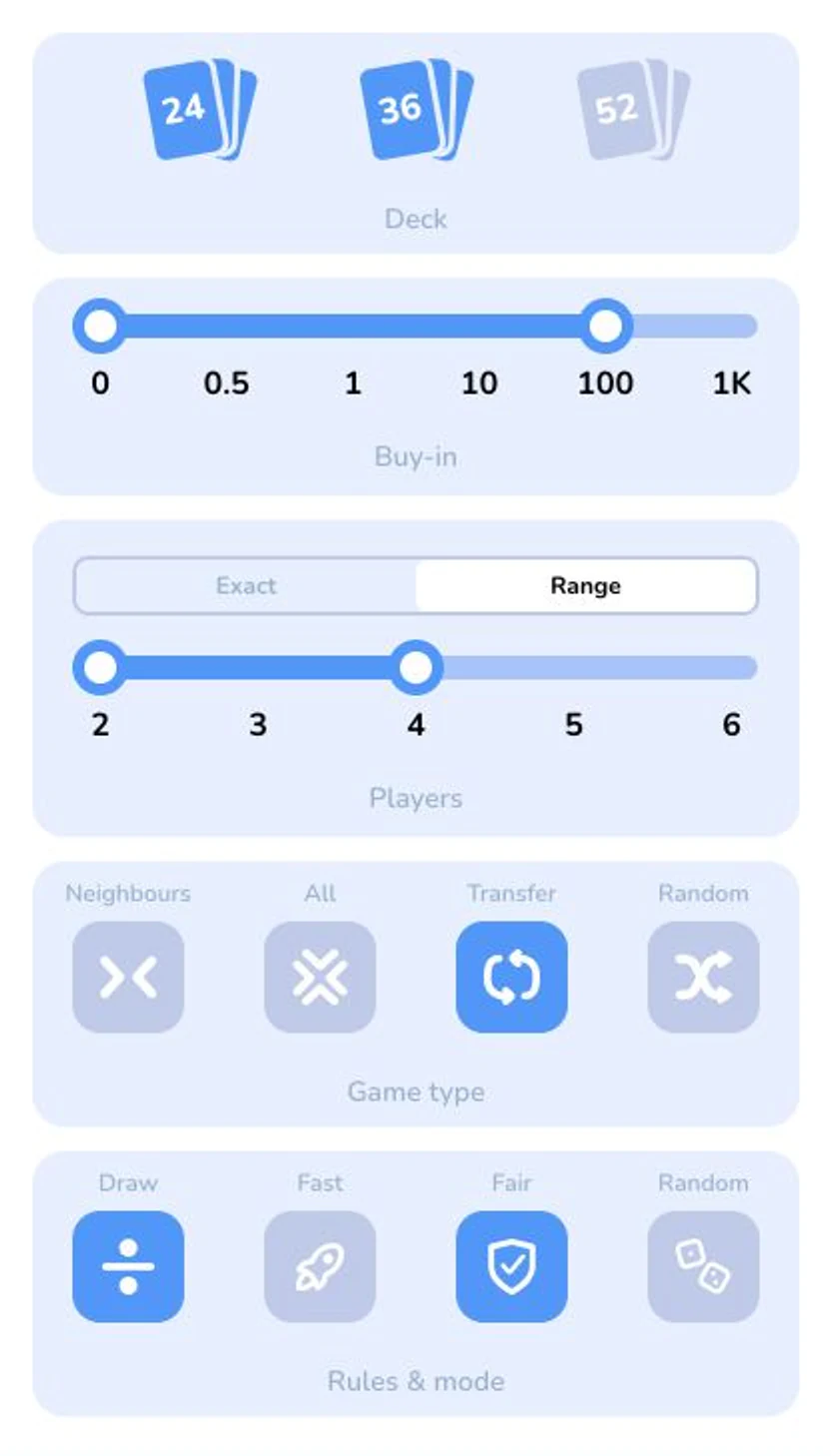
The lobby filters group deck, buy-in, player count, game type, and rules on one screen.
Before joining, check:
- how many seats are occupied;
- the deck size;
- the game type and rules;
- whether entry is free or has a buy-in.
Creating a table
Select Create table, then choose the player count, deck, game type, one or more additional rules, and the buy-in. Random cannot be combined with other additional rules. The table appears in the lobby and waits for the other players.
Inviting a player
Select + on an empty seat to create a link to that specific table. The invitation stops working when it expires, the match starts, or no seats remain.
Leaving a game
Before the match starts, leaving frees the seat and automatically returns the deducted stake. Leaving an active match immediately ends the entire match as a forfeit: the player who left loses, and the other players win.